How to change the href

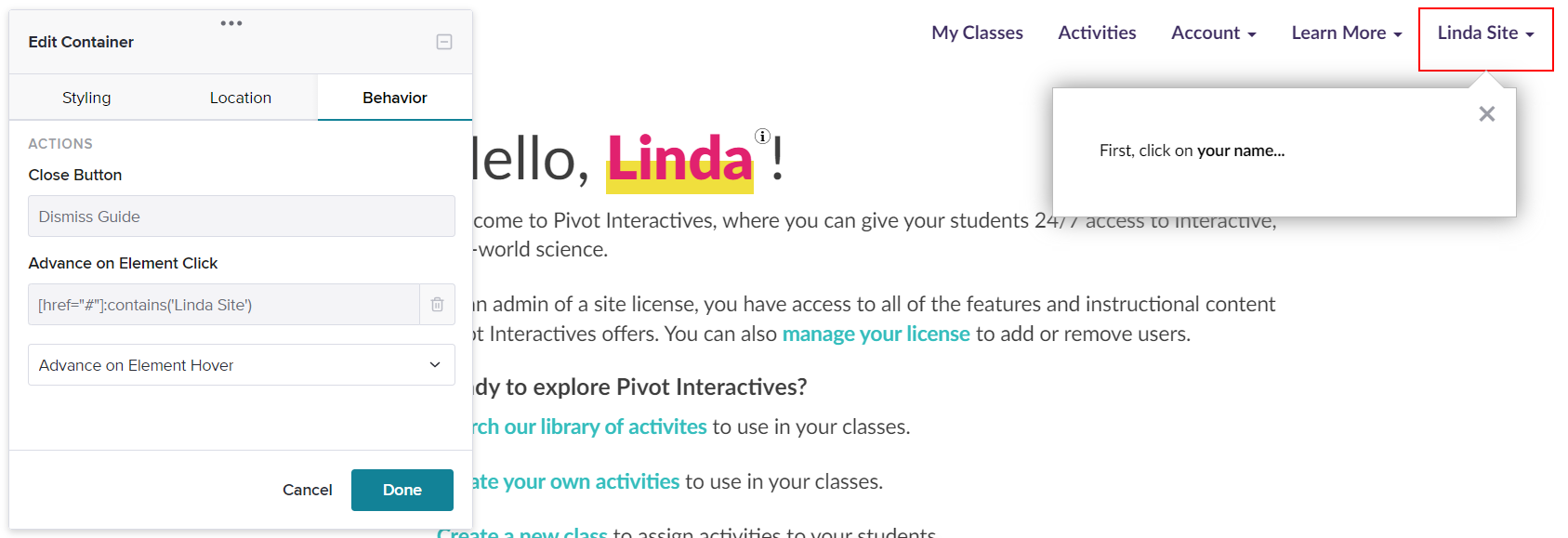
So, I'm guide building (first time) and my guide is breaking because the click action is referencing my specific name. Instead, I want it to reference the element. How do I fix that?
0
So, I'm guide building (first time) and my guide is breaking because the click action is referencing my specific name. Instead, I want it to reference the element. How do I fix that?
コメント
The context in your screenshot is just telling you to which Element you are assigning the behavior "Advance on Element Hover". In order to change the element selected, you'd do that within the 'Location' tab of the Visual Designer.
You will most likely need a bit more complex of a targeting rule for this element, however, due to the generic href definition. You can use the Pendo Tagging Aid to support this, or reference our help documents around Feature tagging.
サインインしてコメントを残してください。