Issues creating Walkthrough guides – steps breaking, resetting, and not displaying

I encountered several issues while creating a Walkthrough guide in Pendo for a multi-step upload flow. The problems consistently break the guide and make it unreliable to configure and preview.
-
Step settings reset unexpectedly
I created a walkthrough step by step. However, every time I entered edit mode, the configuration of the first step became corrupted or reset (target, settings, or behavior changed without my input). -
One missing step breaks the entire walkthrough
If a single step does not appear (for example, due to targeting or page state), all subsequent steps fail to appear as well, instead of the walkthrough continuing or skipping the missing step. -
Different UI states before vs. after file upload
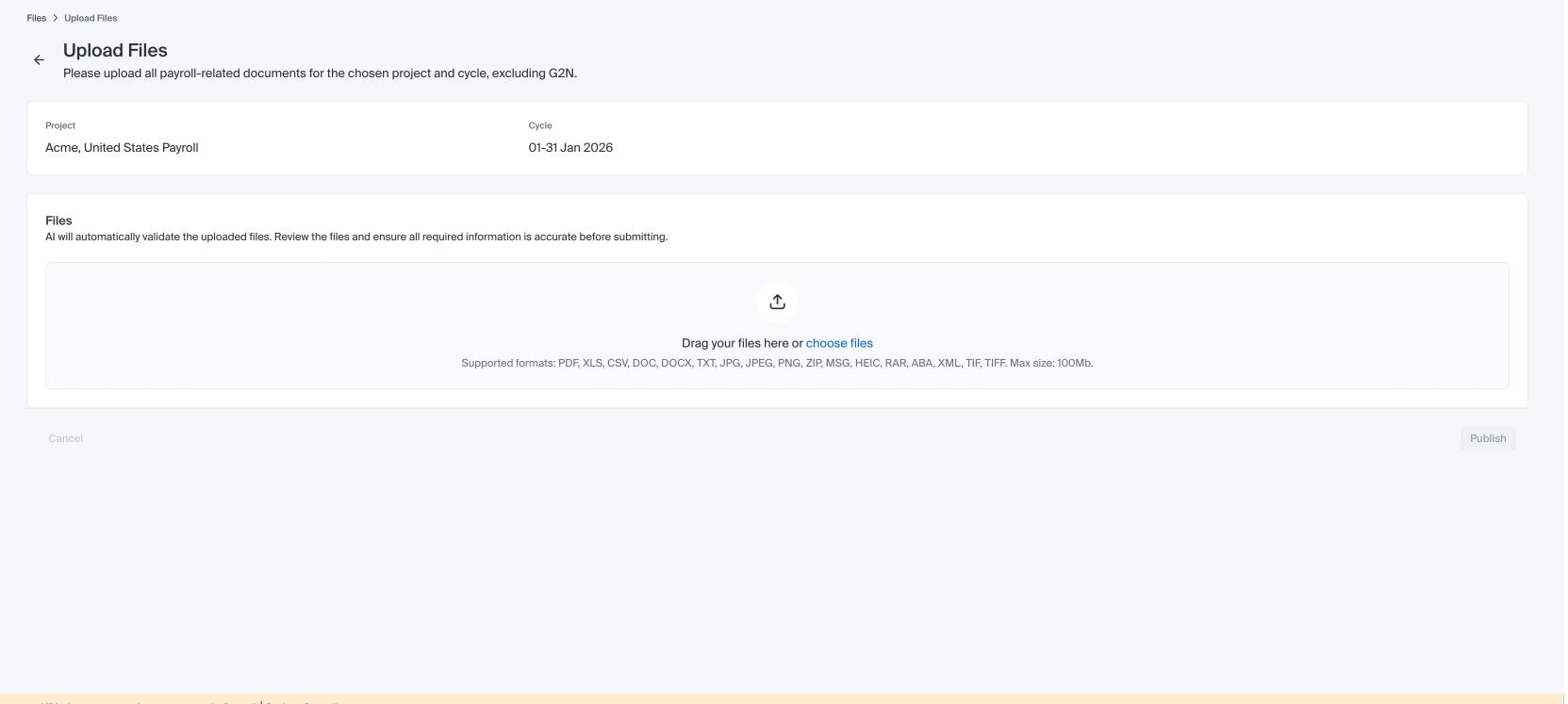
I needed to define:However, after the upload action, the screen changes significantly (a loader appears and additional UI elements are rendered). Elements that exist only after upload do not exist in the initial state, which makes it very difficult to reliably target steps across these states.
-
One step before uploading files
-
Another step after files are uploaded
-
Walkthrough breaks after modal → navigation → continue flow
The walkthrough flow is:At this point, the next walkthrough step does not appear, and the walkthrough completely breaks.
-
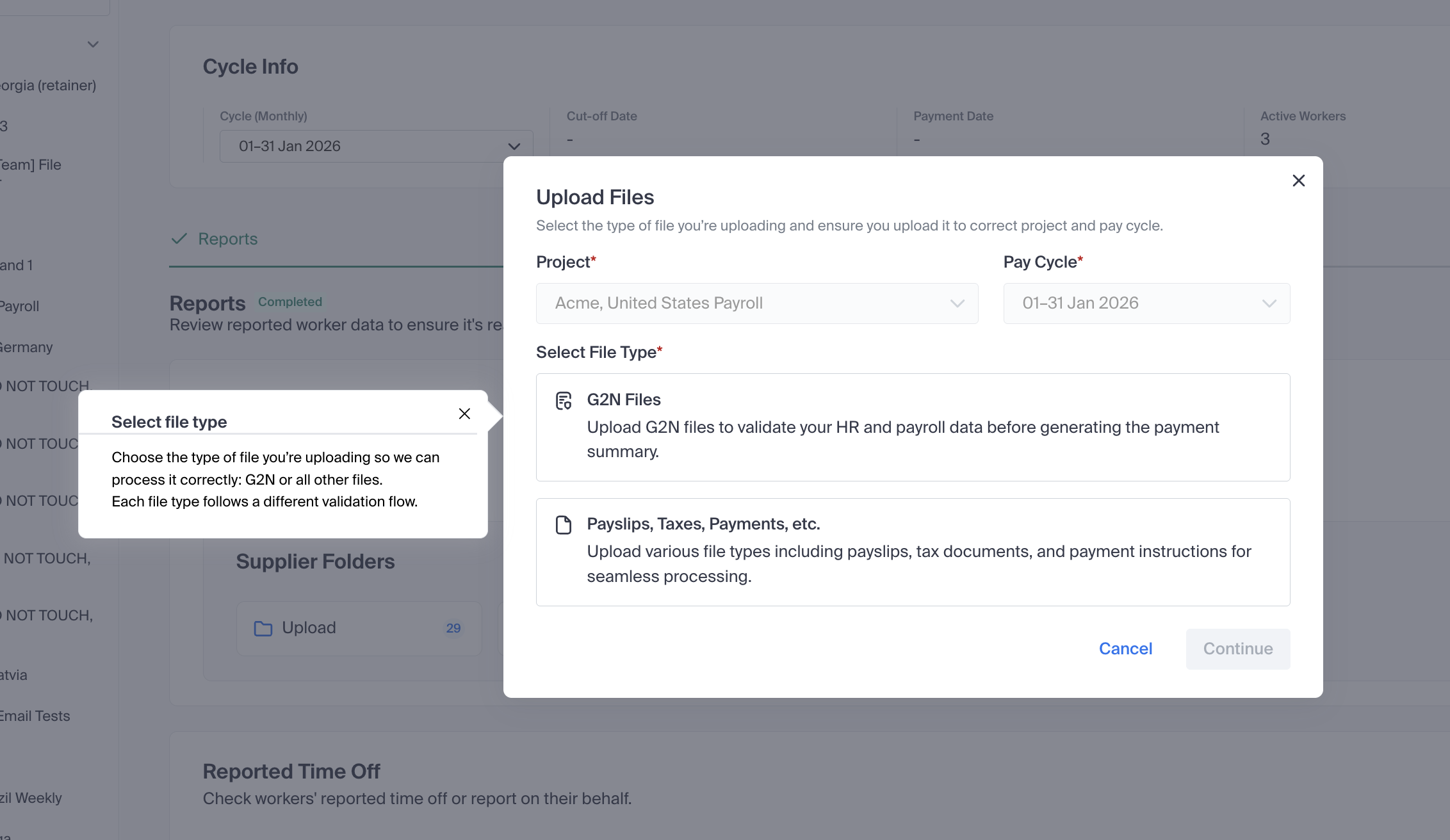
Starts in a modal
-
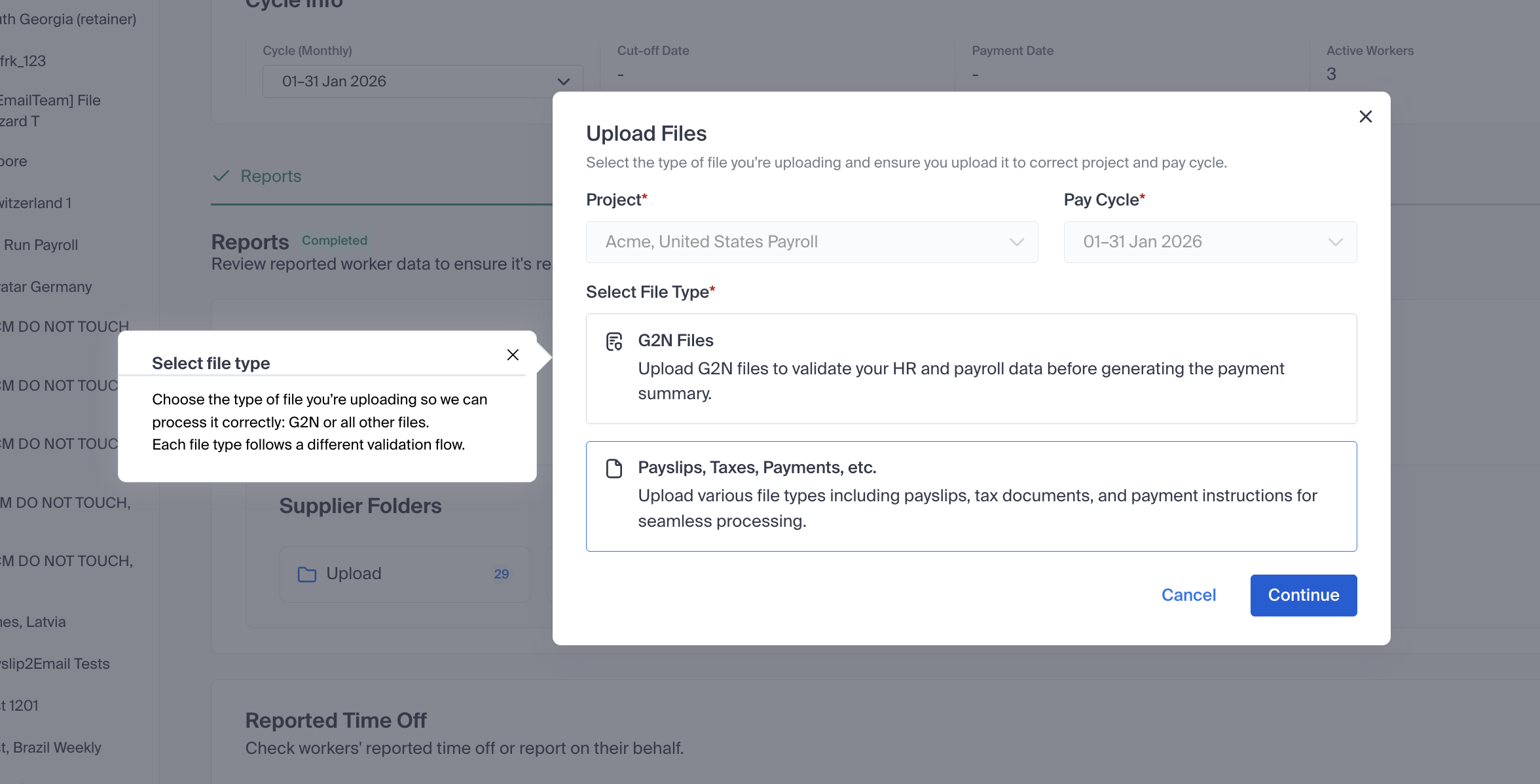
User must choose between two buttons
-
Then click Continue
-
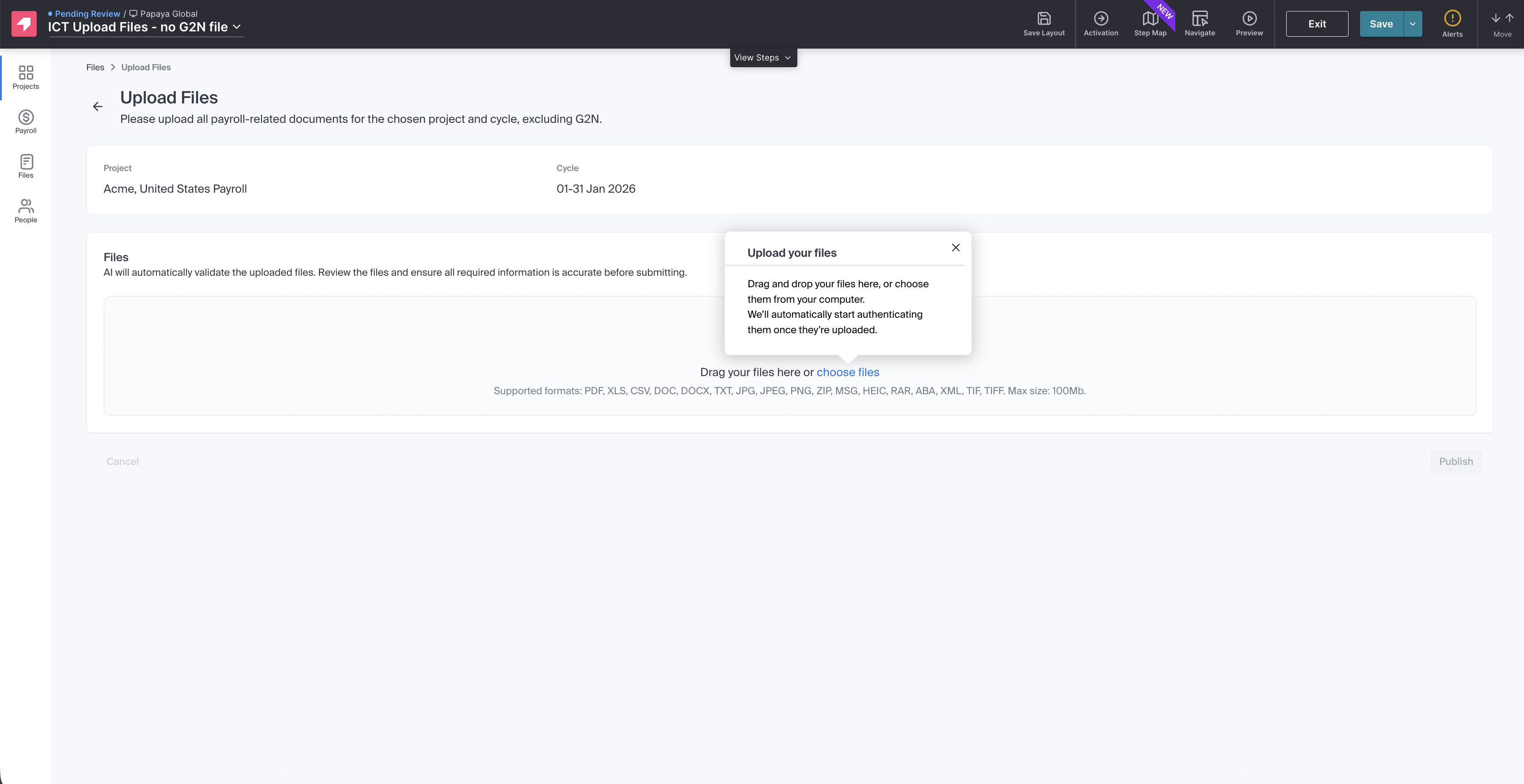
User is navigated to an inner page:
In this inner page, the step your be opened automatically once the user enter this page, explaining the “upload files” - here is where the walkthrough breaks down and all the next steps disappear.
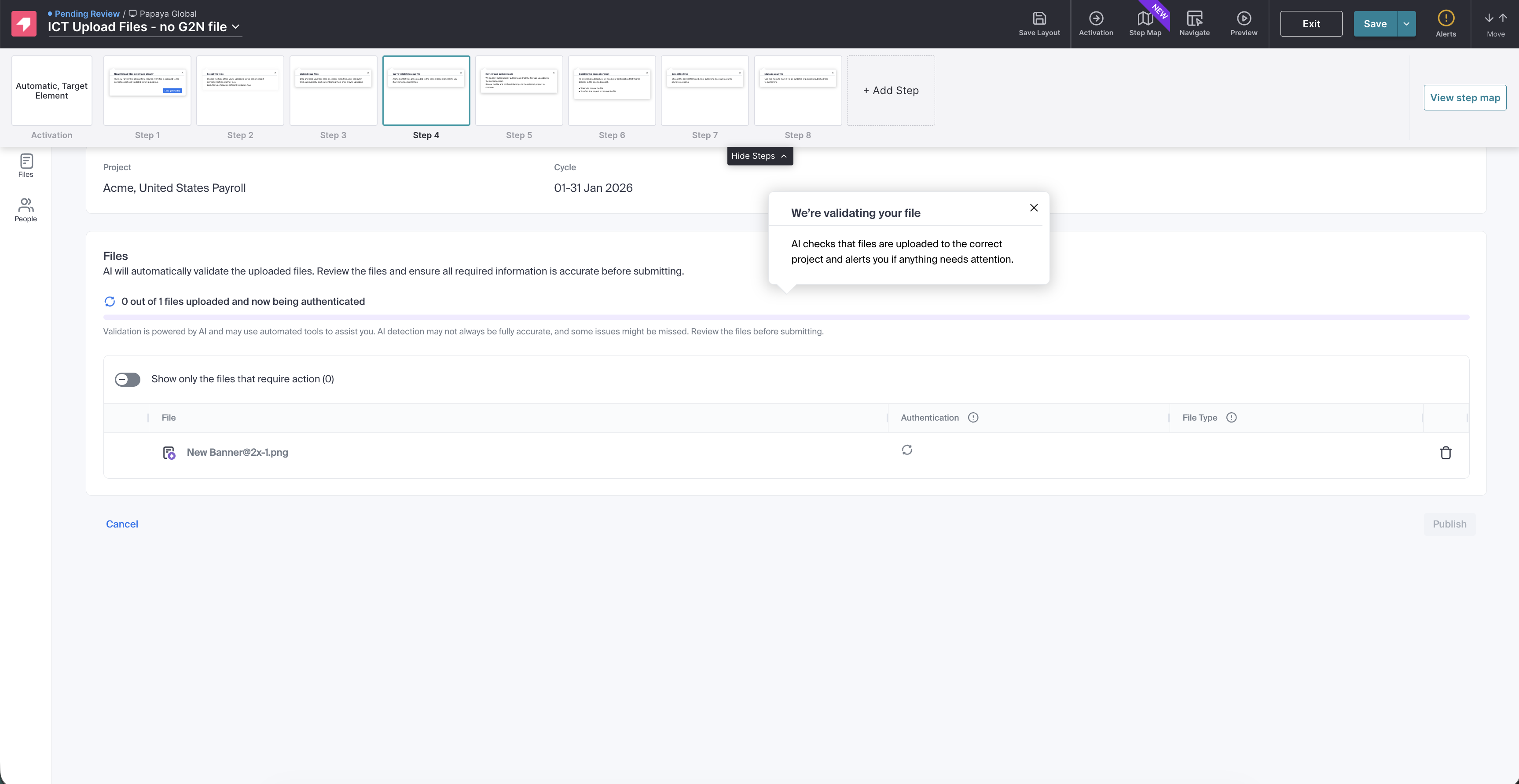
After uploading the page changes a bit, there is a loader and another step is supposed to show up but it doesn’t.
This are screenshots from the Pendo preview:
We also tried to separate the flow into 2 different guides and it also didn't work.
Expected behavior:
-
Step configurations should remain stable when editing.
-
A missing step should not prevent the rest of the walkthrough from displaying.
-
Walkthroughs should handle UI state changes (before/after upload, loaders, dynamic content).
-
Walkthroughs should continue correctly after navigation from a modal to an internal page.
Additional info:
I’m attaching screenshots of the flow and UI states to help illustrate where the walkthrough breaks.
Thanks.
Comments
1. Do you see anything in the edit history in the Pendo UI that might point to what's going on? Sometimes for me a guide hasn't saved settings if there were errors like a button set for automation and then the automation wasn't configured--nothing would save.
2. Use the skip-step guide personalization if you want the guide steps to skip if they do not find the element they are targeted to.
3. I recommend the Pendo Tagging Aid Chrome extension to find the best selectors to use. You can add them to your guide steps and still save if Pendo cannot find them on the page where you are editing.
4. Is your guide step right before it breaks looking for the click on the Continue button in your dialog? How else would it advance to show the next step?
Please sign in to leave a comment.